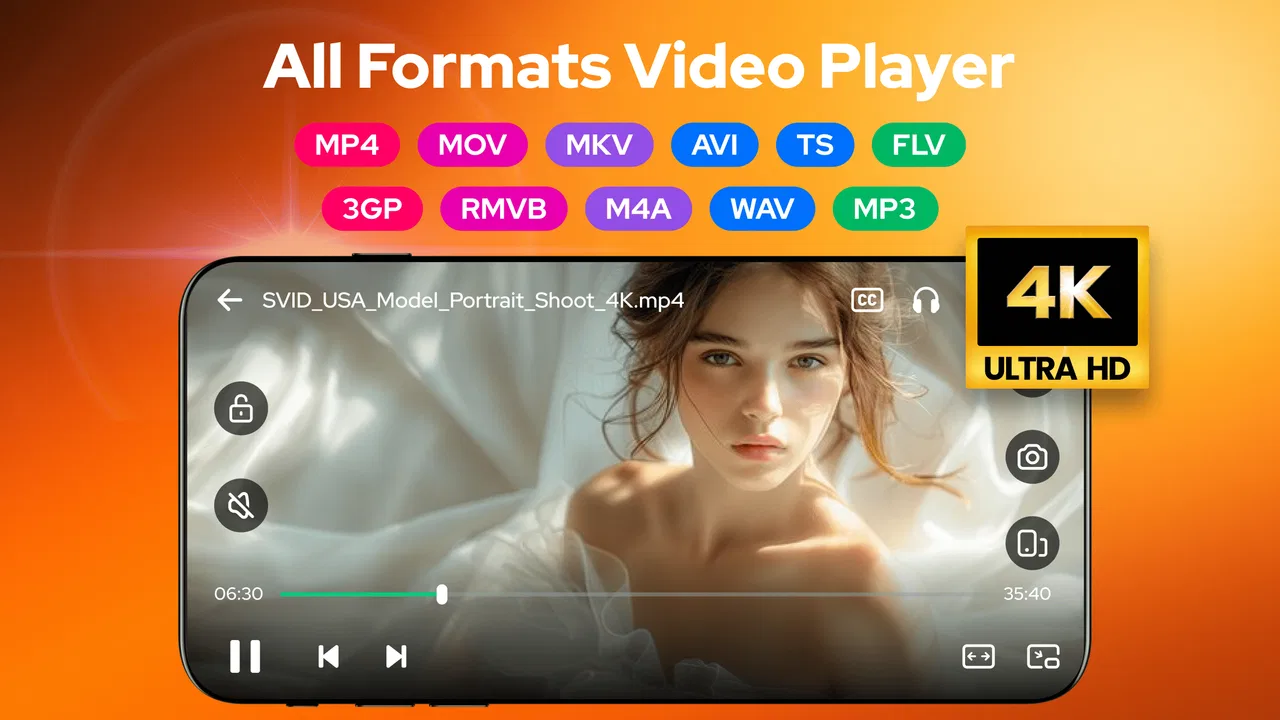
Video Player - AnyPlay
- 4.4
- Rating
- 10.00M
- Installs
- Free
- Price

 Analysis by App-foxy
I spent time with Video Player - AnyPlay as a practical Android media tool rather than treating it like a simple app for pressing play and moving on. It sits in the video players and editors category, but its broader purpose is clear: it combines playback with file management, support for many media formats, subtitle handling, and 4K or HD viewing. That combination makes it more interesting than a basic gallery player, especially if your videos are scattered across folders or arrive in different formats.
My first impression was that AnyPlay is aimed at convenience rather than cinematic extras. It is the kind of app I would consider when the default player refuses a file, when I want to browse local media without switching between several tools, or when subtitles matter. It is free to install, rated for Everyone, and comes from Efficient Tools. Its broad audience is reflected in its reach: it has passed ten million installs and holds an average rating of 4.4 from roughly thirty-nine thousand ratings.
That popularity does not automatically make it the right choice for every phone. A player’s real value depends on how smoothly it handles your files, how quickly it opens large folders, how well it recovers after interruptions, and whether its extra controls are useful instead of distracting. Those are the areas I focused on here.
You May Also Like

 Blood Strike: 2.5 Anniversary
Blood Strike’s Loadouts Turn Every Drop Into a Tactical Gamble
A close look at Blood Strike’s custom loadouts: how fast access to signature weapons reshapes its battle royale rhythm, rewards preparation, and narrows the gap between fights.

 Pandora - Music & Podcasts
Pandora’s Music Is Easy to Start, but Harder to Recover
Pandora’s strength is its low-effort path from a seed to a station. Its weak spot is how much confidence it asks you to place in connection, setup, and quiet recovery.

 8 Ball Pool
 Is Built on Rivalries, Rematches, and Routine
A close look at the rivalries, rematches, shared routines, and unanswered safety questions that turn a quick pool match into a persistent mobile community.

 Samsung Music
’s Quiet Strength Is Playing What You Already Own
Its reach comes less from spectacle than from dependable access to a personal library. That simplicity is both the app’s strongest retention engine and its ceiling.

 AccuWeather: Weather Radar
AccuWeather Review: A Quick, Clear Forecast for Everyday Decisions
For everyday plans, the best forecast is the one you can understand quickly. AccuWeather makes rain timing, radar, and local conditions easy to act on, with a few trade-offs.

 Hill Climb Racing
Why Hill Climb Racing Still Turns Crashes Into One More Run
A tiny car, a bumpy hill and one more upgrade: Hill Climb Racing keeps resurfacing because its simple chaos makes every near-miss feel personal.
More From Our News Desk



How AnyPlay feels in everyday use
I find AnyPlay most useful when I treat it as a local-media starting point, not just a button for opening a video: I can begin with the folder, check the file, and decide whether it belongs in my regular collection. That makes a quick trial with one familiar clip and one less familiar download a practical first step. Once that basic routine feels comfortable, the next section can focus on getting the initial setup right.
Quick access matters more than flashy presentation
The strongest idea behind this app is the combination of a video player and file manager. Instead of relying entirely on a separate gallery or a file browser, I can approach a video from its location and start watching from there. That sounds simple, but it is useful when a phone contains downloads, camera recordings, screen captures, shared clips, and folders copied from another device.
For a normal evening at home, the workflow is straightforward. I might receive a video, leave it in a downloads folder, and later want to find it without moving it into a dedicated media directory. A file-oriented player is better suited to that situation than an app that only displays neatly organized albums. It also makes AnyPlay a sensible companion for people who regularly transfer files manually instead of depending on cloud libraries.
Speed expectations should remain realistic. The app supports HD and 4K playback, but the viewing experience still depends on the phone, the video’s encoding, storage speed, and the demands of the file itself. Support for a resolution is not the same as a guarantee that every device will decode every file effortlessly. On a modern phone with compatible media, I would expect the app to feel responsive. On an older handset, high-resolution material is where the hardware becomes the deciding factor.
Finding files is part of the experience
The file-management side changes how I judge the app. A player can be perfectly capable once a video is open, yet frustrating if locating that video takes too many steps. AnyPlay is more appealing for users who think in folders and filenames rather than albums. That includes students managing downloaded lectures, travelers carrying offline clips, and anyone who keeps work-related recordings separate from personal videos.
There is also a useful trade-off here. A file manager gives more control, but it can feel less polished than a gallery designed around thumbnails and automatic memories. If your entire library is already organized beautifully inside the phone’s default photos app, AnyPlay may feel like an additional layer rather than an essential replacement. Its value grows as your media collection becomes less tidy or more varied.
Subtitles are important in real situations
Subtitle support is one of the details that makes this app more practical than a minimal player. I would use it for foreign-language videos, lectures with unclear audio, or a film watched in a noisy room. The benefit is not limited to entertainment: subtitles can make recorded meetings, tutorials, and educational material easier to follow.
A useful habit is to keep the video and subtitle file together when possible, using clear matching names. That reduces the amount of searching required and makes a folder-based workflow more dependable. It is a small organizational choice, but it matters more in AnyPlay than in a player that hides the underlying file structure.
What happens when the workload increases
The most demanding moments are likely to come from large 4K files, long recordings, folders containing many items, or a combination of playback and other phone activity. I would not judge the app solely by how it handles a short clip. A short social video places very different demands on a device than a high-resolution recording stored locally.
On a capable device, AnyPlay’s broad format and resolution focus should make it a useful first attempt when another player does not recognize a file. On a modest phone, however, the app cannot remove the limits of the processor, graphics hardware, memory, or storage. If playback stutters, the sensible troubleshooting order is to try a lower-resolution copy, close demanding background apps, and check whether the same file behaves differently in another player. That separates a compatibility issue from a hardware limit.
Long viewing sessions also expose practical weaknesses that are easy to miss during a quick test. High-resolution playback can consume more battery and generate more heat on any phone, regardless of the player chosen. I would therefore avoid assuming that the presence of 4K support makes a phone suitable for hours of 4K viewing. For travel, a lower-resolution copy may provide a better balance between picture quality, battery use, and available storage.
Recovery after interruptions
Reliability is not only about whether a file opens. It is also about what happens after a call, a notification, a trip to another app, or an accidental interruption. A player earns trust when returning to a video is uncomplicated and when a failed file does not make the rest of the library difficult to access.
My practical advice is to test AnyPlay with the files you actually use before making it your only player. Try a camera recording, a downloaded video, a subtitle-equipped file, and the largest item you expect to watch. This small test tells you more than a generic compatibility claim because media containers and encoding choices vary widely even when two videos have the same visible resolution.
If a particular file refuses to play, I would not immediately conclude that the whole app is unstable. The problem may be the file itself or a codec that the device cannot handle. Conversely, if several unrelated files fail or the app repeatedly returns to the library, that is a good reason to keep a second player installed. AnyPlay works best as a flexible everyday option, not as a promise that every unusual file will work everywhere.
Using it on older Android phones
The minimum operating system is Android 6.0, which gives the app a wide potential device range. That is helpful for people who keep older phones in service, use an inexpensive handset, or want a media player on a secondary device. Still, operating-system compatibility is only the entry point. Older hardware may struggle with newer high-bitrate videos even if the app itself installs normally.
On a phone with limited storage, the file-manager approach deserves some thought. The app can help locate local media, but it does not change the amount of space that videos occupy. A collection of high-resolution recordings can fill a device quickly, and keeping several copies of the same video is an easy mistake. I would use clear folders and remove temporary downloads regularly, especially when the phone is also used for photos and messaging.
Older screens also affect the value of 4K playback. If the display cannot show the full detail, a lower-resolution file may be the more sensible choice. The extra data can increase storage use and decoding work without giving you a visible improvement. In that situation, AnyPlay’s format flexibility is more valuable than its highest-resolution capability.
Where it fits beside ordinary alternatives
The default video player usually wins on simplicity. It is already installed, familiar, and often connected neatly to the phone’s gallery. If you only watch common clips recorded on the same device, changing apps may not improve your routine.
A dedicated media player with a long history may offer deeper controls, wider community knowledge, or more predictable handling of unusual files. That can be the better route for enthusiasts who care about detailed playback adjustments and advanced library behavior. AnyPlay’s appeal is different: it puts file browsing, broad playback support, HD and 4K viewing, and subtitles in one accessible package.
Cloud-based video services solve another problem entirely. They are convenient for streaming libraries but are not ideal when your media is stored locally, your connection is unreliable, or you need to inspect folders directly. AnyPlay is more relevant for offline collections and transferred files. It is less compelling for someone who rarely downloads videos and watches almost everything through streaming platforms.
Small workflows that make a difference
One of my favorite practical uses is treating the app as a temporary inspection tool. When I copy several videos onto a phone, I can open them from their actual folder, check which ones work, and decide later whether they deserve a more permanent place in the library. This avoids importing every file into a gallery and keeps short-lived material separate from personal memories.
Another useful approach is to create a simple folder structure before a trip: one folder for films, another for lessons, and another for recordings. Because AnyPlay is built around file access as well as playback, this organization pays off inside the app. It also makes cleanup easier when the trip ends. The trade-off is that the experience depends on your own discipline; a messy storage area will still look messy.
For subtitles, I would test the exact pairing before leaving home. Put the subtitle file beside the video, use matching names, and play a short section. This is more reliable than discovering during a flight or train journey that the subtitle file is stored elsewhere or named differently. The app’s support for subtitles is useful, but good file preparation remains part of the workflow.
When a file is heavy, I would avoid judging performance while the phone is already busy backing up photos, installing updates, or running several demanding apps. Close unnecessary activity, allow the device to cool, and try again. That does not excuse poor performance, but it produces a fairer test and helps identify whether the bottleneck is the player or the phone.
Costs, version, and who should install it
Video Player - AnyPlay is free to install, with optional in-app purchases ranging from $2.99 to $13.99 per item. That makes it easy to try without committing money first. I would begin with a normal week of use rather than paying immediately. The important question is whether its file browsing and playback behavior genuinely simplify your routine.
The current version is 1.5.6, and the app was released on September 15, 2023. Those details matter mainly when comparing expectations across devices: an app with a broad audience can still feel different on a recent phone than on older hardware. Since Efficient Tools is the developer, users who encounter a repeatable issue should record the file type, device behavior, and steps that caused it before seeking help. Clear reproduction details are more useful than simply reporting that a video “doesn’t work.”
I would recommend AnyPlay to people who keep local videos in several folders, need subtitle support, or want one place for file browsing and playback. It is also worth trying on an older Android phone because Android 6.0 is supported, provided expectations about demanding video remain reasonable. Families may appreciate the Everyone content rating, although that label describes age suitability rather than the quality or appropriateness of every file someone opens.
I would skip it if your phone’s default player already handles everything you watch and you dislike navigating folders. I would also look elsewhere if you need a highly specialized media setup, advanced control over every playback parameter, or a polished cloud library more than local file access. AnyPlay’s strength is practical breadth, not replacing every kind of media tool.
My performance verdict
After looking at the app through speed, heavy-use behavior, recovery, and device limits, I see Video Player - AnyPlay as a useful general-purpose choice with a clear everyday purpose. Its combination of local file management, broad format support, subtitles, and HD or 4K playback gives it more flexibility than a barebones player. The biggest advantage is not one spectacular feature; it is reducing the number of separate steps between finding a file and watching it.
Its limitations are equally practical. High-resolution playback still depends on the phone, large collections require sensible organization, and an unusual or damaged file may need another app. I would keep those points in mind rather than expecting the player to overcome hardware or media-format problems.
Overall, I would install it for a friend who often asks why a downloaded video will not open, where a subtitle file should go, or how to find recordings buried in storage. For that person, AnyPlay is a convenient first-choice player and file browser, especially at no upfront cost. For someone who only streams content or wants an enthusiast-level playback laboratory, a different option may fit better. Its best performance comes when the app’s flexible design is matched with realistic files, a capable enough device, and a little organization.
FAQs for Video Player - AnyPlay
01What features does Video Player - AnyPlay offer?
Video Player - AnyPlay offers a wide range of features, including support for multiple video formats, HD playback, subtitle synchronization, and a user-friendly interface. It also allows playlists creation and offers gesture controls for adjusting volume and brightness. The app can stream videos from online sources, making it versatile for various viewing needs.
02Is Video Player - AnyPlay compatible with all devices?
Video Player - AnyPlay is designed to work on both Android and iOS platforms, supporting a wide range of devices. However, compatibility may vary depending on the device's operating system version. Users should ensure their device meets the app’s minimum system requirements for optimal performance and functionality.
03How does Video Player - AnyPlay handle different video formats?
AnyPlay supports a broad array of video formats, including MP4, AVI, MKV, and more. It aims to provide seamless playback without the need for additional codecs. The app ensures smooth operation and quality playback for most commonly used formats, making it a versatile choice for users with diverse video libraries.
04Does Video Player - AnyPlay require an internet connection?
AnyPlay does not require an internet connection for playing downloaded or locally stored videos. However, streaming online content or accessing cloud storage does need an internet connection. Users can enjoy offline features without any interruptions, but should connect for streaming or updates.
05Are there any in-app purchases in Video Player - AnyPlay?
Video Player - AnyPlay offers a free version with basic features. For advanced features like ad-free experience, additional codec support, or enhanced streaming capabilities, users may need to consider in-app purchases. These purchases are optional but provide a more comprehensive video playback experience.
Pros
- Supports various video formats seamlessly.
- User-friendly interface for easy navigation.
- High-quality playback with minimal buffering.
- Customizable playback speed options.
- Offline viewing available for downloaded videos.
Cons
- Contains occasional ads disrupting playback.
- Some features require a paid upgrade.
- Limited subtitle support for certain formats.
- Battery consumption is relatively high.
- No integration with cloud storage services.

Video Player - AnyPlay
Gallery